Versions & What's New
SOLIDWORKS 2020: release, features and support
SOLIDWORKS 2020 was unveiled on September 18, 2019. It introduced Detailing mode for large drawings and flexible components, and it was the last SOLIDWORKS release to support Windows 7 — through 2020 SP5. The release has long been out of support but is still common in older projects and courses.
 Kevin Walsh

- Version
- SOLIDWORKS 2020 (rev. 28)
- Released
- Autumn 2019 (unveiled Sept 18, 2019)
- Supported OS
- Windows 10 or 7, 64-bit
- Status
- End of support
Highlights
- Last release for Windows 7 (through 2020 SP5).
- Detailing mode opens large drawings in seconds for edits.
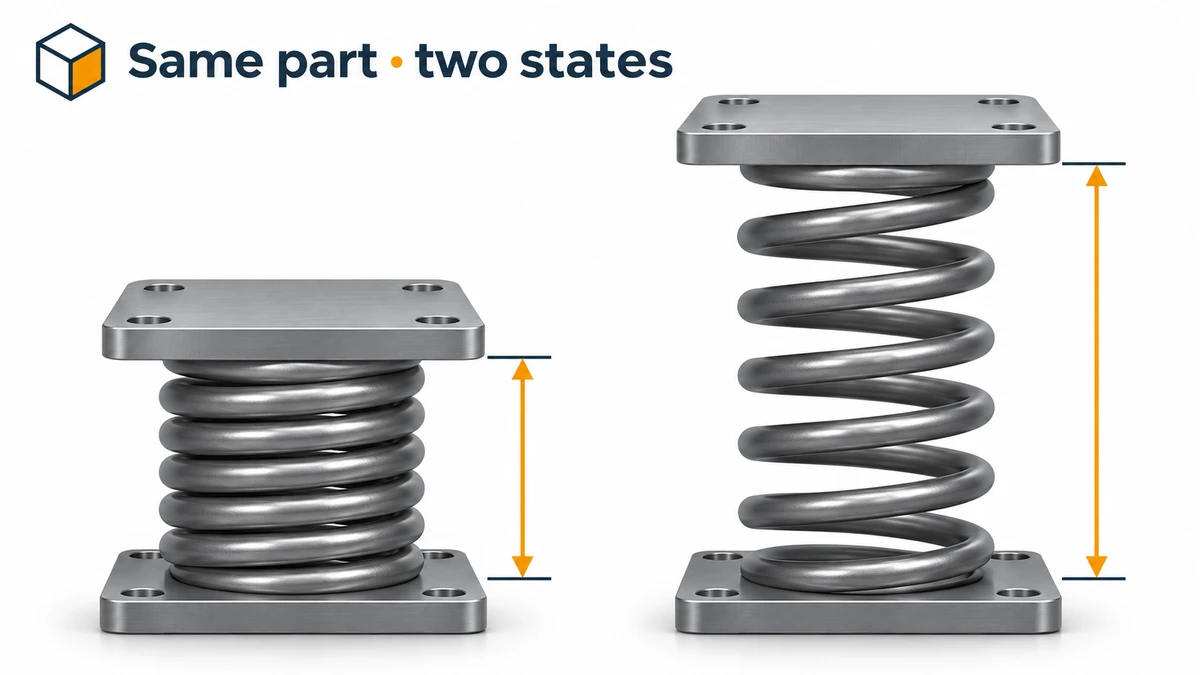
- Make Part Flexible — one part, different shapes in different assembly positions.
- Envelope Publisher and Large Design Review improvements.
- Direct mesh editing; hybrid mesh and Simulation Evaluator in Simulation.
SOLIDWORKS 2020 dates and support
| SOLIDWORKS 2020 | |
|---|---|
| Unveiled | September 18, 2019 |
| Final service pack | SP5 |
| Support | Ended |
| Operating system | Windows 10 or 7, 64-bit |
Top new features in SOLIDWORKS 2020
Drawings
- Detailing mode — open very large drawings quickly to add or edit annotations without loading the full models.
- Graphics acceleration for drawings.
Assemblies
- Make Part Flexible — a part such as a spring or hose can take a different shape in each assembly where it is used.
- Envelope Publisher — publish components from a top-level assembly as envelopes into subassemblies.
- Large Design Review improvements.
Parts, interoperability and simulation
- Direct mesh editing for scanned and mesh bodies.
- Expanded 3D Interconnect for working with native files from other CAD systems.
- Hybrid mesh and the Simulation Evaluator in SOLIDWORKS Simulation.
Compiled from Dassault's press release, the SOLIDWORKS blog and Javelin's top-10 review.
Why SOLIDWORKS 2020 still comes up
You may still meet 2020 files in older tutorials, courses and archived projects. Any newer release opens them. If your computer still runs Windows 7, 2020 SP5 is the newest version it can use — but for security and support you should move to Windows 11 and a current release such as SOLIDWORKS 2026.
The next release was SOLIDWORKS 2021. For every release back to SolidWorks 95, see the SOLIDWORKS version history.
Sources
Frequently asked questions
When was SOLIDWORKS 2020 released?
+
Dassault unveiled SOLIDWORKS 2020 in an online event on September 18, 2019, and the release shipped that autumn. We could not find an official SP0 download date.
Is SOLIDWORKS 2020 the last version for Windows 7?
+
Yes. The official system requirements list Windows 7 64-bit support up to SOLIDWORKS 2020 SP5; SOLIDWORKS 2021 does not install on Windows 7.
Can I open SOLIDWORKS 2020 files in SOLIDWORKS 2026?
+
Yes. Newer releases open files from older ones. The reverse is not possible: no current release can save back as far as 2020.
Related
- SOLIDWORKS 2021: release, features and supportSOLIDWORKS 2021 launched on September 22, 2020 — Windows 10 only, with faster assemblies, detailing mode upgrades and the first 3DEXPERIENCE SOLIDWORKS offers.
- SOLIDWORKS version history: every release since 1995Every SOLIDWORKS release from SolidWorks 95 to 2027 with release years, revision numbers and file version codes, plus company milestones since 1993.
- SOLIDWORKS 2025: release date, features and supportSOLIDWORKS 2025 was released on November 15, 2024. Its top features, why it is the last version for Windows 10, and hotfix support until December 31, 2026.
- SOLIDWORKS versions and the latest releaseThe latest SOLIDWORKS version is 2026 (2027 is in pre-release). Every release from 2020 to 2027 with dates, Windows support and end of support.