Tools
Which SOLIDWORKS license do I need?
Answer four questions about who you are, your computer and what you design, and the picker recommends one SOLIDWORKS license with its 2026 price. It uses the same official prices and rules as our pricing guides.
 Kevin Walsh

How the picker decides
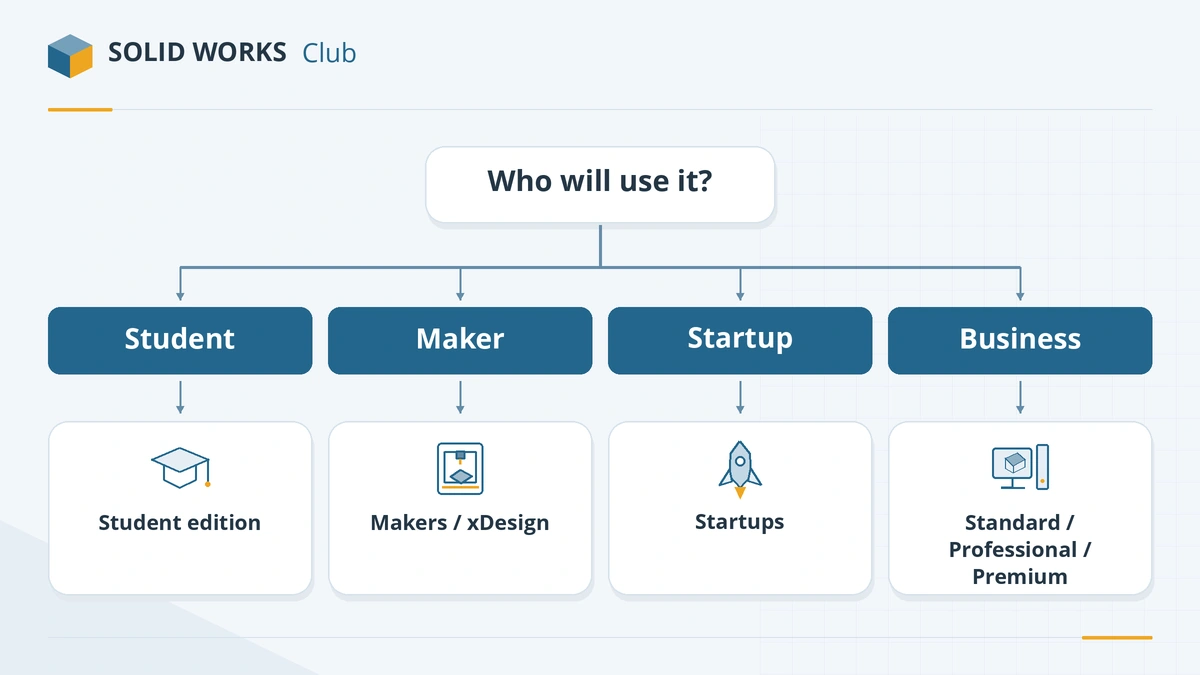
- Who you are. Students and instructors are pointed to the free student edition; hobbyists to SOLIDWORKS for Makers; young hardware companies to the Startups program.
- Project income. Makers licenses are only for projects earning under $2,000 a year, so higher earners are sent to a commercial license.
- Your computer. Desktop SOLIDWORKS is Windows-only. On a Mac or Chromebook the picker suggests xDesign, or warns you that you need a Windows virtual machine.
- What you need. Rendering, standard fasteners and cost estimation point to Professional; built-in simulation and routing point to Premium. Otherwise Standard is enough — see the edition comparison.
To see what a license costs over several years, including perpetual quotes, use the cost calculator.
Frequently asked questions
Is the license picker free?
+
Yes. It runs entirely in your browser, needs no sign-up and stores nothing.
Why does the picker show US prices?
+
The US list is the official reference price. Prices for the UK, eurozone and Canada are on the pricing overview, and the cost calculator works in those currencies.
Related
- SOLIDWORKS Standard vs Professional vs PremiumWhat SOLIDWORKS Standard, Professional and Premium include in 2026, what each costs, and which edition you need — rendering, Toolbox, simulation, routing.
- Can you get SOLIDWORKS for free?Yes — students get SOLIDWORKS free since July 2026, startups get a free first year, and anyone can trial it. Every legal free and low-cost option, with prices.
- SOLIDWORKS cost calculatorCalculate what SOLIDWORKS costs over 1–10 years for any number of seats in USD, GBP, EUR or CAD, and see when a perpetual license beats an annual subscription.
- How much does SOLIDWORKS cost in 2026?SOLIDWORKS costs $2,820 to $4,716 a year in the US in 2026, Standard to Premium. Official prices for the UK, Europe and Canada, plus perpetual and free options.