Tools
SOLIDWORKS cost calculator
Pick your region, edition, number of seats and years to see the total cost of an annual SOLIDWORKS subscription. Add a perpetual quote to find the break-even point — the eurozone Standard list price is pre-filled.
 Kevin Walsh

How the calculation works
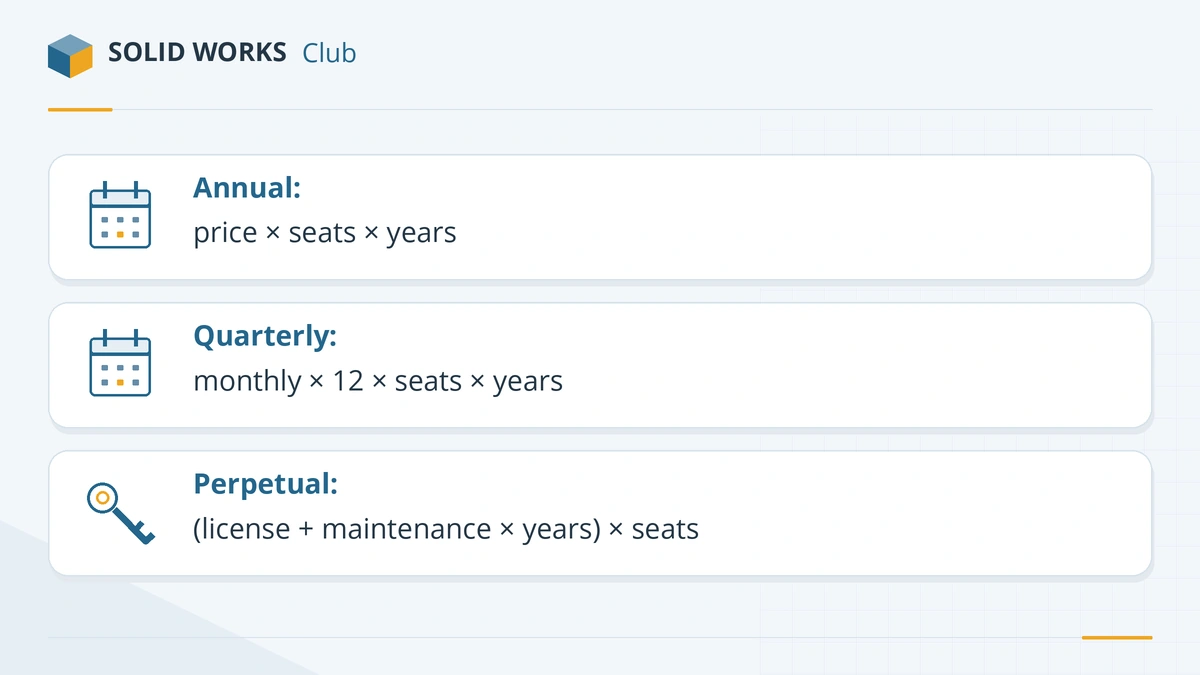
- Annual subscription = annual list price × seats × years.
- Quarterly subscription (eurozone) = monthly quarterly-term price × 12 × seats × years, as if renewed all year.
- Perpetual = (license price + maintenance × years) × seats, with at least the minimum maintenance period required at purchase.
- Break-even = license price ÷ (annual price − yearly maintenance): the number of years after which owning costs less than renting.
The calculator runs in your browser and stores nothing. For the reasoning behind the numbers, read subscription vs perpetual; for regional list prices, see the pricing overview and Europe. Not sure which edition to price? Try the license picker.
Prices in your country: USA · UK · Europe · Canada · India · Australia
Frequently asked questions
Where do the calculator's prices come from?
+
Annual prices are the official list prices for the US, UK, eurozone and Canada shown on our pricing overview. The quarterly and perpetual figures are the eurozone reseller list prices.
Why do I have to enter perpetual prices myself?
+
Outside the eurozone Standard edition, perpetual prices are quoted by resellers and not published. Enter your quote to compare it fairly.
Does the calculator include tax?
+
No. All figures exclude VAT, GST and sales tax, as the official price lists do.
Related
- SOLIDWORKS subscription vs perpetual licenseShould you rent SOLIDWORKS yearly or buy a perpetual license? 2026 costs, the break-even point, what maintenance includes and what happens if it lapses.
- How much does SOLIDWORKS cost in 2026?SOLIDWORKS costs $2,820 to $4,716 a year in the US in 2026, Standard to Premium. Official prices for the UK, Europe and Canada, plus perpetual and free options.
- Which SOLIDWORKS license do I need?Answer four questions and get the right SOLIDWORKS license — free student edition, Makers, Startups, or Standard, Professional or Premium — with 2026 prices.
- SOLIDWORKS price in Europe (2026)SOLIDWORKS costs €3,480, €4,152 or €5,496 a year in the eurozone in 2026, excl. VAT. Quarterly and perpetual prices, VAT by country and where to buy.