Models & Careers
Free SOLIDWORKS models — where to download them
You rarely need to model a bolt, a bearing or a linear guide yourself. Component suppliers publish millions of ready CAD models, often as native SOLIDWORKS parts, and community libraries add everything from fixtures to whole machines. The catch is the licence: supplier models are made to be used in your designs, community uploads usually are not free for commercial use. Here is where to look, which formats you get and what you may do with them.
 Kevin Walsh
The libraries at a glance
| Library | Run by | Content | Formats | Commercial use |
|---|---|---|---|---|
| GrabCAD Community | Stratasys | Community uploads | Whatever the uploader provides | Designer's explicit permission needed |
| 3D ContentCentral | Dassault Systèmes | Supplier catalogs, some user models | SOLIDWORKS, STEP, IGES, Parasolid and more | Terms accepted at sign-up |
| TraceParts | TraceParts S.A. | Supplier catalogs | More than 70 formats | Written consent required by its terms |
| PARTcommunity | CADENAS | Supplier catalogs | Over 150 native and neutral formats | Check the catalog terms |
| McMaster-Carr | McMaster-Carr | Its own catalog | STEP, SLDPRT, Parasolid, 2D | Site terms and conditions |
| MISUMI | MISUMI | Its own configurable parts | SLDPRT (2015+), macro, STEP, IGES, DWG | Login needed |
| Toolbox / Design Library | Built into SOLIDWORKS | Standard fasteners, bearings, gears, steel sections | Native | Part of your licence |
| Thingiverse, Printables | MyMiniFactory, Prusa Research | 3D-printing designs | Mostly mesh (STL, 3MF) | Licence chosen by each designer |
Figures from the sites themselves: TraceParts reported 1,347 catalogs and over 100 million part numbers in 2021; CADENAS counted more than 500 manufacturer catalogs; McMaster-Carr says over 700,000 of its parts have a CAD model.
Supplier portals: use these for real components
3D ContentCentral is Dassault's own portal and sits inside SOLIDWORKS in the Design Library task pane, so models drag straight into an assembly. Many supplier models are configurable in the browser before download — size, options, features — and you can choose the SOLIDWORKS version of the file. Previews open in an embedded eDrawings viewer.
TraceParts and CADENAS PARTcommunity are the two big independent portals, both free for users, with catalogs from hundreds of manufacturers and downloads in your preferred native format. PARTcommunity asks for your CAD format and 2D/3D settings once, then remembers them.
McMaster-Carr and MISUMI publish models of their own catalog. MISUMI generates a model from the exact part number you configure, including a native SOLIDWORKS file and a macro version that rebuilds the part if a file will not open.
Community libraries: great for ideas, careful with licences
GrabCAD is the largest community library, with millions of members according to Stratasys. Uploaders are asked to include native files and a neutral version, so formats vary. GrabCAD's own guidance: use is generally private, credit the creator, and get the designer's explicit permission before any commercial use — no reply means no.
Thingiverse and Printables are 3D-printing libraries. Their files are mostly meshes made for slicers; Prusa lists STL, OBJ and 3MF for its slicer. A mesh can be printed but not edited like a solid part in SOLIDWORKS.
Which format to download
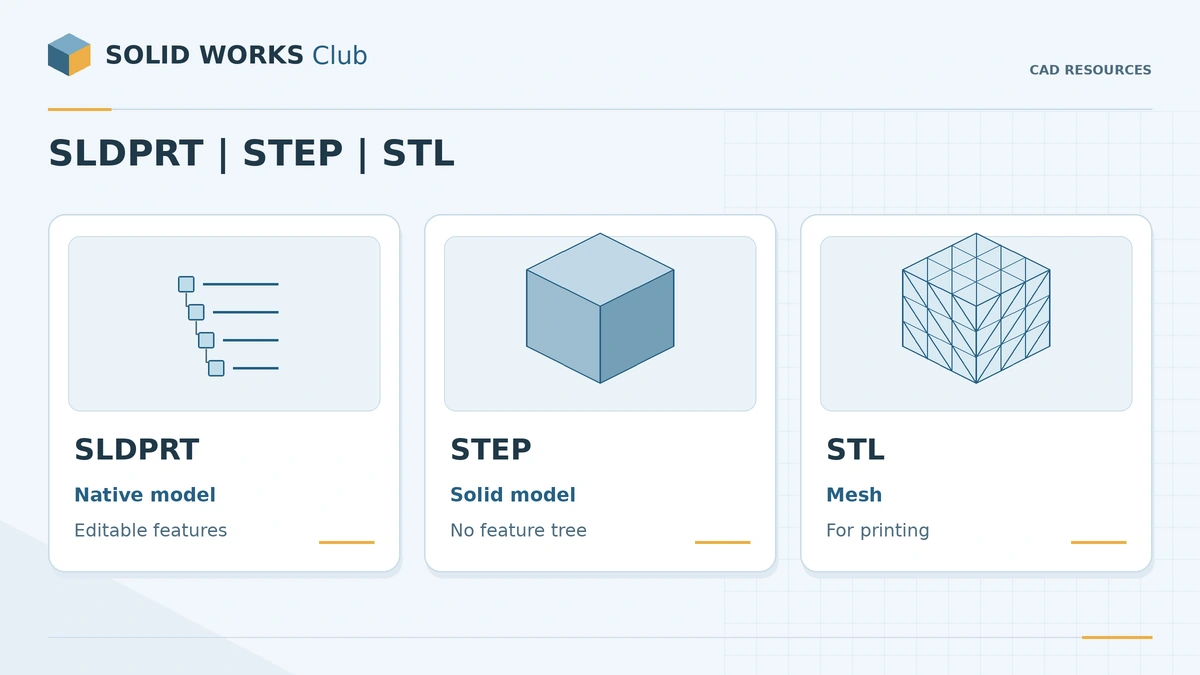
- Native SLDPRT in your version or older — you may get configurations and features.
- STEP — a clean solid that opens in any SOLIDWORKS version; if it arrives with faulty faces, see import errors.
- Parasolid (.x_t) — the geometry kernel format SOLIDWORKS is built on; another good solid format when it is offered.
- STL/3MF only for printing.
A file in a newer native version than yours will not open — see future version files.
Before you model it yourself
Standard fasteners, bearings, gears and structural sections are already in Toolbox, part of SOLIDWORKS Professional and Premium: see Toolbox in assemblies and the Design Library. The two biggest free sources are compared in detail in GrabCAD vs 3D ContentCentral. Want to practise modelling instead? Try the exercises.
Sources
- GrabCAD — What is the GrabCAD Community? (Dec 2020)
- GrabCAD — How can models be used and shared? (Oct 2020)
- GrabCAD — Uploading a GrabCAD Model (Jan 2021)
- Dassault Systèmes (via GoEngineer) — 3D ContentCentral datasheet (© 2018)
- Hawk Ridge Systems — 3D ContentCentral (Sep 2016, updated Sep 2026)
- Dassault Systèmes — Announces the Upgrade of the Online Service 3D ContentCentral (Oct 2015)
- TraceParts — CAD content platform reaches 4.5 million registered engineers and designers (Nov 2021)
- TraceParts — General terms of use
- Digital Engineering 24/7 — New PARTcommunity Version 9 features optimized 3D CAD download (Jul 2019)
- CADENAS — New PARTcommunity record: over 31 million 3D CAD downloads in March (2019)
- McMaster-Carr — CAD models
- MISUMI USA — Download CAD Data (guide)
- MISUMI Thailand — CAD format list
- Javelin Technologies — SOLIDWORKS Toolbox (Dec 2017, mod. Jul 2018)
- Wikipedia — Thingiverse
- UltiMaker — MyMiniFactory acquires Thingiverse (Feb 2026)
- Tom's Hardware — Prusa Launches Printables.com, a Free 3D Model Library (May 2022)
- Prusa Research Help — Where to get 3D models
Checked November 2026. SOLID WORKS Club is independent; menu names can differ slightly between releases.
Frequently asked questions
Where can I download free SOLIDWORKS models?
+
For standard components, use supplier portals — 3D ContentCentral, TraceParts, CADENAS PARTcommunity, McMaster-Carr or MISUMI. For community designs, GrabCAD is the largest library. Toolbox inside SOLIDWORKS covers fasteners, bearings and gears.
Can I use GrabCAD models commercially?
+
Not by default. GrabCAD says models are generally for private use, and commercial use needs the designer's explicit permission.
Which format should I download?
+
Native SLDPRT if it is offered for your SOLIDWORKS version, otherwise STEP. Avoid STL for parts you want to edit — it is a mesh, not a solid.
Are supplier models accurate?
+
They are made for assemblies: 3D ContentCentral supplier models are usually simplified but keep external dimensions and mounting points. Check critical dimensions against the datasheet.
Related
- GrabCAD vs 3D ContentCentral — which one should you use?GrabCAD vs 3D ContentCentral: owners, community vs supplier models, formats, configurable parts, SOLIDWORKS integration and commercial-use licences compared.
- SOLIDWORKS Design LibraryHow to use the SOLIDWORKS Design Library: default folders, adding your own folders, saving reusable library features (.sldlfp) and inserting them.
- Toolbox fasteners in assembliesHow to add bolts, nuts and washers to SOLIDWORKS assemblies with Toolbox: drag onto holes, change sizes, Smart Fasteners and configuration settings.
- SOLIDWORKS STEP and IGES import errors — how to fix themFix SOLIDWORKS STEP and IGES import errors: faulty faces and gaps, surfaces instead of solids, 3D Interconnect vs classic import, wrong IGES units.