Comparisons
SOLIDWORKS vs Blender: engineering CAD or 3D art tool?
Blender is free, open-source software for mesh modelling, sculpting, animation and rendering; SOLIDWORKS is engineering CAD for precise, manufacturable parts and assemblies. Blender cannot hold design intent, tolerances or production drawings, and SOLIDWORKS is not built for organic shapes or animation. Many designers model in SOLIDWORKS and render or animate in Blender.
 Kevin Walsh
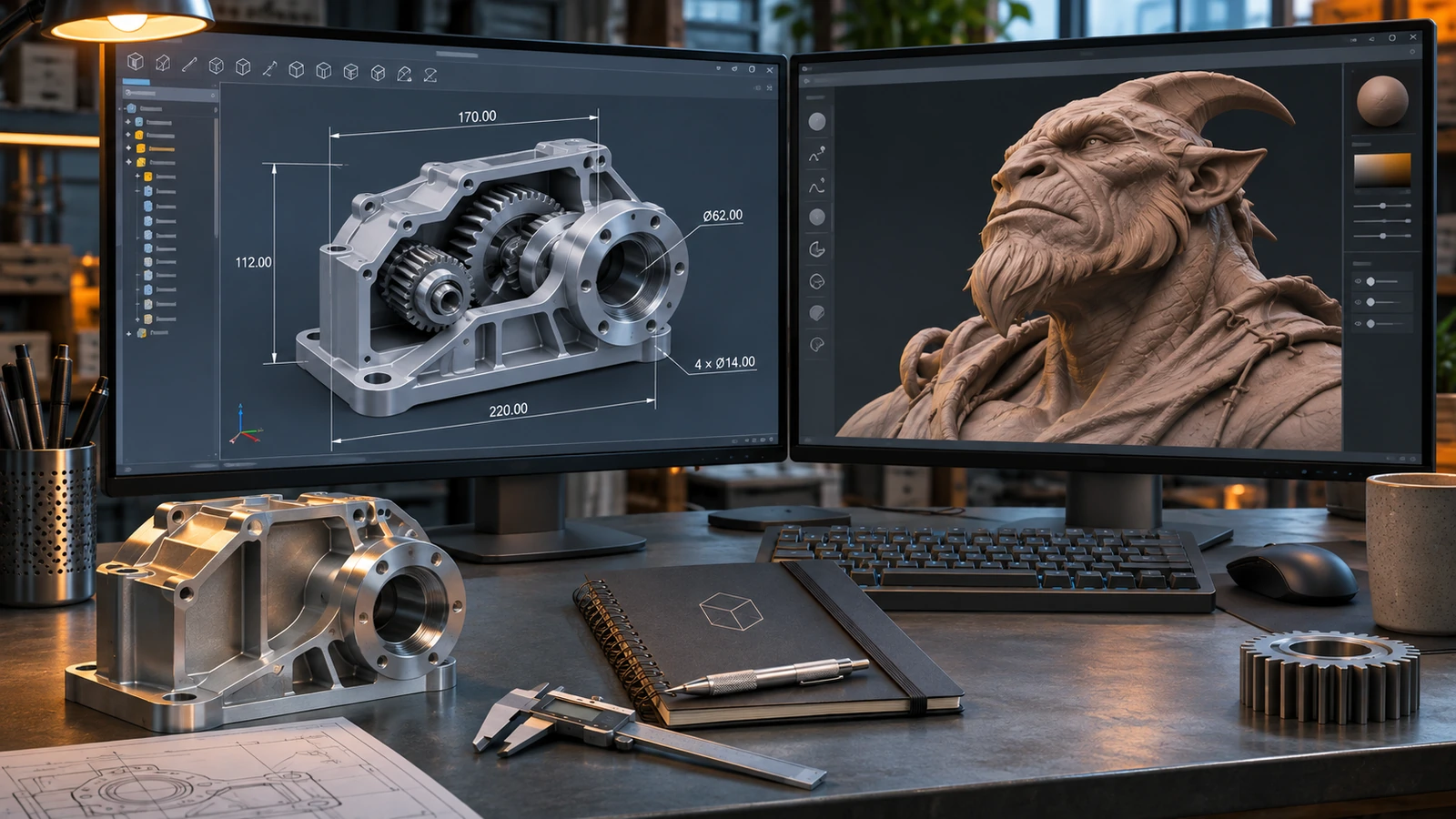
Parts that must fit and be manufactured
SOLIDWORKS
Exact dimensions, assemblies, tolerances and drawings.
Animation, game assets, organic shapes
Blender
Mesh and sculpt tools, animation and the Cycles renderer, free.
Product visuals
Both
Engineer in SOLIDWORKS, then render or animate in Blender.
| SOLIDWORKS | Blender | |
|---|---|---|
| Developer | Dassault Systèmes | Blender Foundation (open source) |
| Current version (Nov 2026) | 2026 (2027 in pre-release) | Blender 5.2 LTS (Jul 2026) |
| Commercial price (US list) | $2,820 – $4,716/yr (Standard – Premium) | Free (GPL open source) |
| Free or low-cost options | Free for students (Standard); Makers $48/yr; free trial | Free for any use, including commercial |
| Runs on | Windows 11 (x86_64) | Windows, macOS (Apple silicon), Linux |
| Mac | Only in Parallels (not certified on Apple silicon) | Native (Apple silicon) |
| Files and data | Local files; PDM or 3DEXPERIENCE cloud optional | Local files (.blend) |
| Modelling approach | Parametric, history-based | Polygon mesh and subdivision modelling, sculpting, animation |
| Geometry kernel | Parasolid | Mesh-based (no B-rep CAD kernel) |
| CAM | SOLIDWORKS CAM (with subscription editions) | No |
| Simulation | Premium edition and Simulation add-ons | Physics for animation (not engineering FEA) |
| Opens SOLIDWORKS files | Native | No — STEP needs an add-on |
| Best for | Mechanical product design, machinery, sheet metal | Visualisation, animation, organic shapes, game assets |
Checked 2026-11-06. Sources: Blender 5.2 release; Blender FAQ (licence, commercial use); Blender extensions — STEP Importer
Different tools for different jobs
| SOLIDWORKS | Blender | |
|---|---|---|
| Geometry | Exact B-rep solids (Parasolid) | Polygon meshes, subdivision surfaces, sculpting |
| Precision | Exact dimensions and tolerances | Visual accuracy; precision tools are limited |
| Assemblies | Mates, motion, interference checks | Object hierarchies and rigs for animation |
| Output | Production drawings, STEP, DXF, CAM | Renders, animations, game assets, STL/OBJ |
| Price | From $2,820/yr (Makers $48) | Free |
Blender 5.2 LTS, released in July 2026, is supported until July 2028 and runs on Windows (x64 and ARM), Apple silicon Macs and Linux (Blender).
Using them together
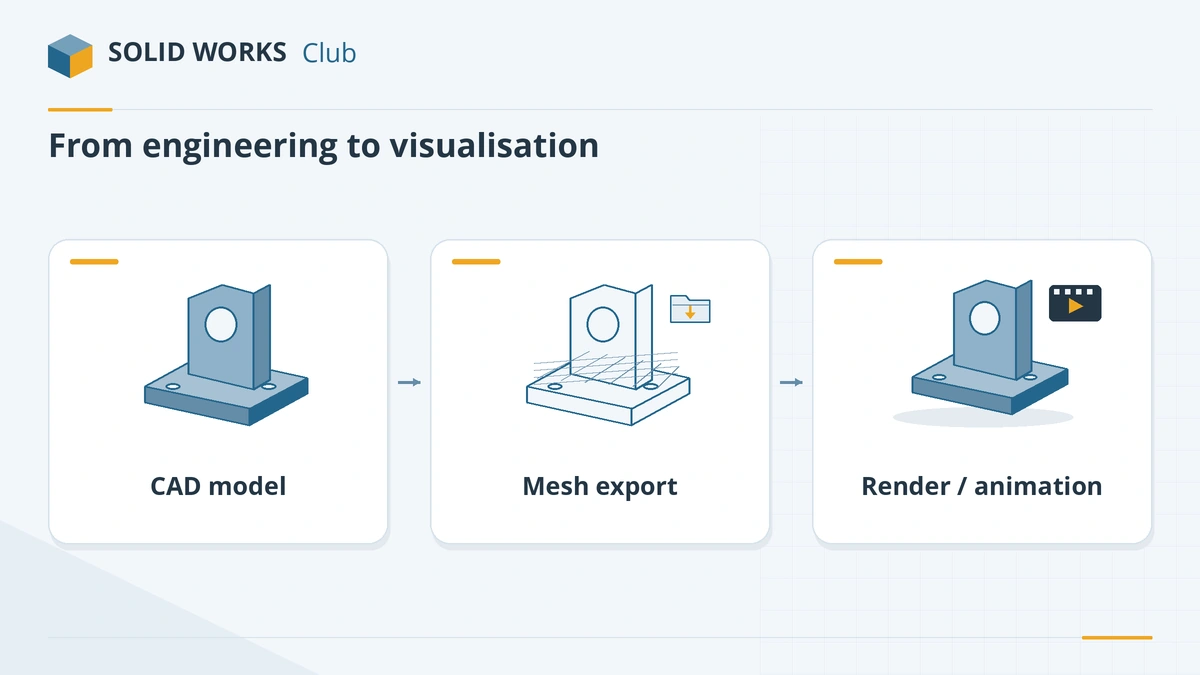
- Finish the design in SOLIDWORKS.
- Export a mesh — STL, OBJ or glTF — with a fine enough resolution for close-up renders. For exact geometry, export STEP and use a STEP import add-on in Blender (example).
- In Blender, assign materials, light the scene and render with Cycles, or animate exploded views and product reveals.
SOLIDWORKS has its own renderer — SOLIDWORKS Visualize replaced PhotoView 360 in 2026 (see SOLIDWORKS 2026) — so Blender is mainly worth it for animation, stylised visuals or when you already know it.
Which should you choose?
Choose SOLIDWORKS (or another CAD tool) for anything that must be manufactured to size. Choose Blender for visual work, sculpting, animation and game assets. If you want free software for engineering parts, look at FreeCAD or the other free SOLIDWORKS alternatives; for free-form product surfaces, see SOLIDWORKS vs Rhino.
Frequently asked questions
Can Blender replace SOLIDWORKS?
+
Not for engineering. Blender works with polygon meshes and has no parametric feature history, assembly mates or associative drawings. It is excellent for visual work, sculpting and some 3D-printing projects.
Is Blender good for 3D printing?
+
For figures, art and organic shapes, yes — it exports STL and OBJ. For functional parts with exact dimensions and fits, a CAD tool such as SOLIDWORKS, Fusion or FreeCAD is easier and more accurate.
Can Blender open SOLIDWORKS files?
+
Not directly. Export from SOLIDWORKS as STL, OBJ or glTF for meshes, or as STEP and use a STEP import add-on in Blender.
Is Blender really free for commercial use?
+
Yes. Blender is released under the GNU GPL, and the Blender Foundation states you can use it for commercial work, including what you create with it.
Related
- SOLIDWORKS vs Rhino: parametric engineering or freeform design?SOLIDWORKS vs Rhino 9 — parametric engineering CAD vs NURBS freeform surfacing, $995 perpetual vs subscription, Mac support and using both together.
- The best free SOLIDWORKS alternatives in 2026The best free alternatives to SOLIDWORKS in 2026 — FreeCAD, Solid Edge Community Edition, Fusion Personal Use, Onshape Free and more — with the limits of each.
- SOLIDWORKS vs FreeCAD: can free CAD replace it?SOLIDWORKS vs FreeCAD 1.1 — free open-source CAD for Windows, Mac and Linux against the industry standard: what FreeCAD does well and where it falls short.
- What CAD software should you learn in 2026?Which CAD to learn in 2026 by career — SOLIDWORKS for mechanical design, AutoCAD for drafting, CATIA and Creo for OEMs, Fusion for makers — with job data.